The same rendering as the app
GitHub Flavored Markdown with tables and task lists, drawn by the same renderer as the main window
Quick Look extension for Markdown · macOS 14+ · free
macOS previews a .md file as raw text. Install Hem, open it once, and the space bar in Finder shows the rendered document: headings, tables, code, diagrams and maths
Version 1.2 · 5.7 MB · macOS 14 Sonoma or later · Apple silicon
Download it and drag it into Applications. The Quick Look extension is inside the app; there is nothing separate to install
The first launch registers the extension with macOS. You can quit Hem afterwards; previews keep working
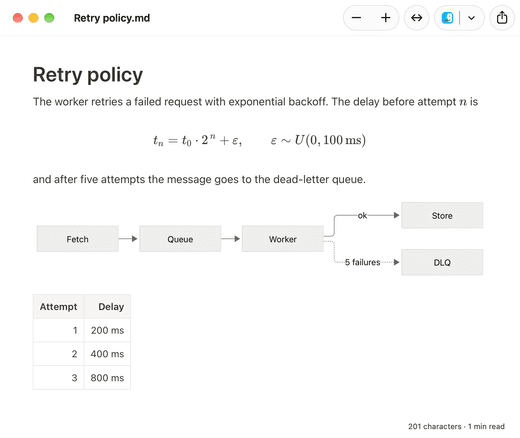
In Finder, on the Desktop, in a Spotlight result or in an Open dialog. The preview appears as a formatted page
GitHub Flavored Markdown with tables and task lists, drawn by the same renderer as the main window
Highlighted code blocks, diagrams and formulas, rendered locally with no internet connection
Mermaid on a Mac →The preview follows the appearance and text settings you chose in Hem
Built on the app-extension mechanism current macOS expects, not the .qlgenerator plug-ins Apple retired, so it survives system upgrades
How Quick Look extensions work →.md, .markdown, .mdown, .mkd and .mkdn, including files such as README.md, AGENTS.md and CLAUDE.md
A preview never changes the file and never sends it anywhere
Open Hem once so macOS registers the extension, then try again. If another app’s preview appears instead, open System Settings › General › Login Items & Extensions › Quick Look and choose Hem for Markdown
Files with unusual extensions that macOS does not recognise as Markdown are previewed as plain text by the system; renaming them to .md fixes it
The full troubleshooting guide →Install an app with a Quick Look extension for Markdown, such as Hem, and open it once. Then select a .md file in Finder and press Space
macOS has no built-in Markdown renderer, so without an extension it treats .md as text. Installing an app that provides a Quick Look extension changes the preview
For previews, yes. QLMarkdown is a free, capable previewer with many rendering options. Hem’s extension is part of a full viewer and editor, so the same app opens the file when you want more than a glance
No. macOS loads the extension when you press Space, whether or not the app is open
Yes. Hem needs macOS 14 Sonoma or later, on a Mac with Apple silicon (M1 or newer). The download is 5.7 MB
Yes. Hem is MIT-licensed open source, with no paid tier
Version 1.2 · 5.7 MB · macOS 14 Sonoma or later · Apple silicon